Introduction to Cisco Packet Tracer
Packet Tracer is a powerful network simulator that allows user to create network topologies . It is a innovative features help students and teachers collaborate, solve problems, and learn concepts. It allows users to create networks with almost unlimited number of devices and to experience compensating without having to buy real Cisco switches and routers. This is a application created by Cisco. It is a user friendly Command Line Interface (CLI).
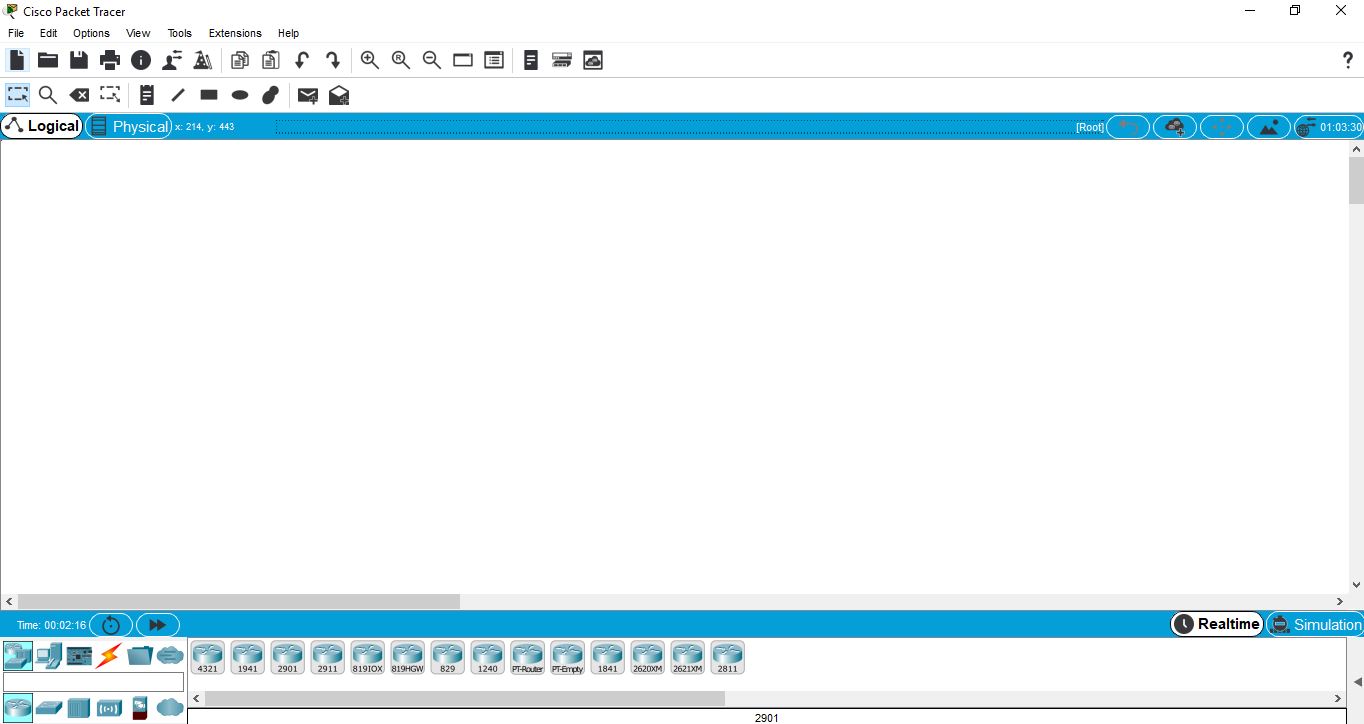
It has 2 workspaces- Logical and Physical. The logical workspace allows user to build networks by connecting and clutching virtual network devices. The physical workspace procures a graphical dimensions of network. It also provides 2 operational modes i.e. real time and simulate.
Details:
1. Menu bar: This bar provides options such as File, Edit, Options, Tools, Extensions and and help menu. It also has some basic options such as open, save, save as, print and preferences.
2. Tool bar: This bar provides shortcut icons to the file and edit menu commands. It also have buttons for copy, paste, undo, redo, zoom, drawing palette and custom devices dialog.
3. Workspace: Here you create networks and watch simulations.
How to download Cisco Packet Tracer:
You can download Cisco Packet tracer by following this link: https://www.netacad.com/courses/packet-tracer
 |
| Cisco Packet Tracer |
It has 2 workspaces- Logical and Physical. The logical workspace allows user to build networks by connecting and clutching virtual network devices. The physical workspace procures a graphical dimensions of network. It also provides 2 operational modes i.e. real time and simulate.
Details:
1. Menu bar: This bar provides options such as File, Edit, Options, Tools, Extensions and and help menu. It also has some basic options such as open, save, save as, print and preferences.
2. Tool bar: This bar provides shortcut icons to the file and edit menu commands. It also have buttons for copy, paste, undo, redo, zoom, drawing palette and custom devices dialog.
3. Workspace: Here you create networks and watch simulations.
How to download Cisco Packet Tracer:
You can download Cisco Packet tracer by following this link: https://www.netacad.com/courses/packet-tracer
To download Packet Tracer, follow these steps to create your Networking Academy registration:
- Click the 'Enroll to Download Packet Tracer' button
- Enroll in the Introduction to Packet Tracer course
- Complete your Networking Academy registration
- Launch the Introduction to Packet Tracer course
- Download instructions are found within the course

